

Turn your spreadsheets into an app. One place for the work your team keeps retyping.
Spreadsheets are a fine way to start. Once the business runs on a dozen of them, they cost your team hours: copying numbers between sheets, fixing the wrong version, chasing who changed what. We turn them into one app made for how your team works.
Starts with a short interview on our home page. No obligation to hire us.
Signs you've outgrown spreadsheets
- The same numbers get typed into two or three places.
- People work from different copies, and nobody's sure which one is right.
- One person knows how the sheet works, and things stop when they're out.
- Your team needs it on a phone or an iPad: on the floor, in the kitchen or on the road.
- You find out something ran low or was missed when it's already too late.
- A formula breaks when someone adds a row.
What they usually become
The sheets change from business to business. What they're for is often the same.
Inventory and ordering
Stock counted on a phone or an iPad, with stock levels that suggest what to order and when.
Schedules and bookings
Shifts, classes or appointments in one calendar that your team and your customers can see.
Orders and jobs
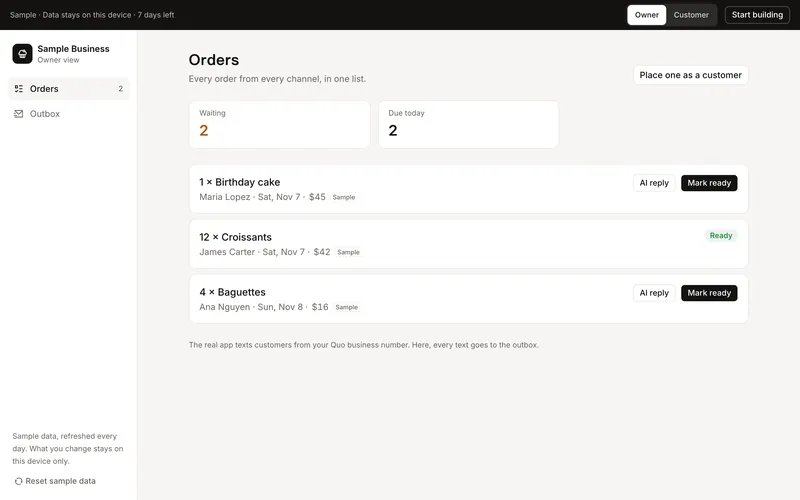
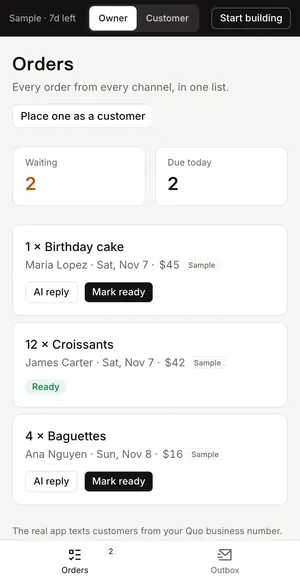
Every order or job in one list, showing its status, who's on it and what needs to happen next.
Customer records
Each customer's history, notes and follow-ups in one place, so anyone on your team can help.
Checklists and sign-offs
Opening and closing checklists, safety checks and training sign-offs, done and signed on the spot.
Reports
Sales, stock and staffing on one screen, kept up to date without anyone opening a spreadsheet.
Keep, connect or replace
Not every spreadsheet has to go. A sheet can keep running behind the scenes, fed by the app, for a report or for your accountant, while your team works in the app.
Your plan says which sheets to keep, which to connect and which to replace, and why.
Why not a no-code app builder?
No-code tools can turn a sheet into a simple app quickly, and for a short list that can be enough. A custom app makes sense when the work has steps and rules a template can't follow, when several sheets have to work together, or when per-person fees add up as your team grows.
From our own businesses
We replaced our own family businesses' spreadsheets first.
A restaurant packaging supplier
An admin portal replaced a dozen spreadsheets, with inventory and ordering in one place. At least 80% of the hand-done work is gone.
A restaurant in Katy, Texas
The crew counts stock on a kitchen iPad, which suggests each truck order. Checklists and temperature checks moved off paper onto it.
How it works
You see what would change, and what it costs, before anything is built.
- Step 1
Tell us how your business runs
Answer a short interview on our home page about your biggest headache, your routines and your team. Share your website and our AI reads it first, so the questions fit your business.
- Step 2
Get your plan
A written plan, usually within a few hours: the hours your team spends on each routine, what we'd change, the price of each fix and how long it takes to pay for itself. Our team reads every plan before it goes out.
- Step 3
Try it before you build
If you'd like, get a working prototype of your app, with your own services, items and prices. You and up to 3 people on your team try it for 7 days.
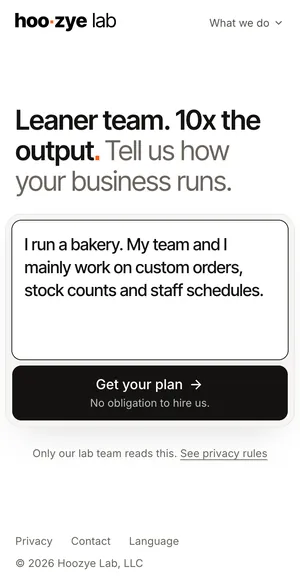
The interviewTell us how you work. 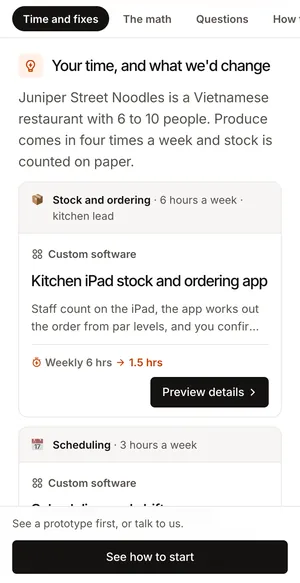
Your planThe hours each fix saves. A prototypeTry it with your team.
What it costs
Your plan prices each fix from what you told us, and shows how long it takes to pay for itself. You get a written quote before any work starts.
- First consultationWe talk through your business and your plan, then you get a written quote. If we build it, the $199 comes off the build price.
- $199
- Interactive prototype2% of your plan's estimated build price, at least $99. You try your app before you commit, and if we build it, this comes off the build price too.
- From $99
- Self-serve build package5% of your plan's estimated build price, at least $149. Everything your team needs to build the app with Claude Code or Codex, or to hand to any developer.
- From $149
Questions owners ask
How much does it cost to replace spreadsheets with an app?
It depends on how many sheets and steps the app takes over. Your plan prices each fix on its own, so you can start with the one that saves the most time. The first consultation is $199, and it comes off the build price if we build it.
Can we keep the data we already have?
Usually, yes. Bringing in your existing items, customers and history is part of planning the build, so your team starts with your own information.
What happens to our formulas?
The rules your formulas follow become rules the app follows, each one written down so it can be checked before the app replaces the sheet.
Can we still use Google Sheets or Excel?
Yes, where it helps. A sheet can stay behind the scenes, fed by the app, for reports or for your accountant.
Will my team need training?
The app is built around how your team already works, with your own names for things, so there's less to learn than in a general-purpose tool. You can try a prototype with up to 3 people on your team before anything is built.
Will it work on phones and iPads?
Yes. Web apps work on any phone, tablet or computer, and we build iPhone and iPad apps when the work happens away from a desk.